Sooner or later there comes a point in your electronics career where it would be nice to have a schematic for the project you are doing. If you have a steady hand and lots of paper to spare, the first option is to draw the schematics on paper. However, computer aided design (CAD) software does have it’s advantages, allowing easy modifications, sharing and later PCB creation.
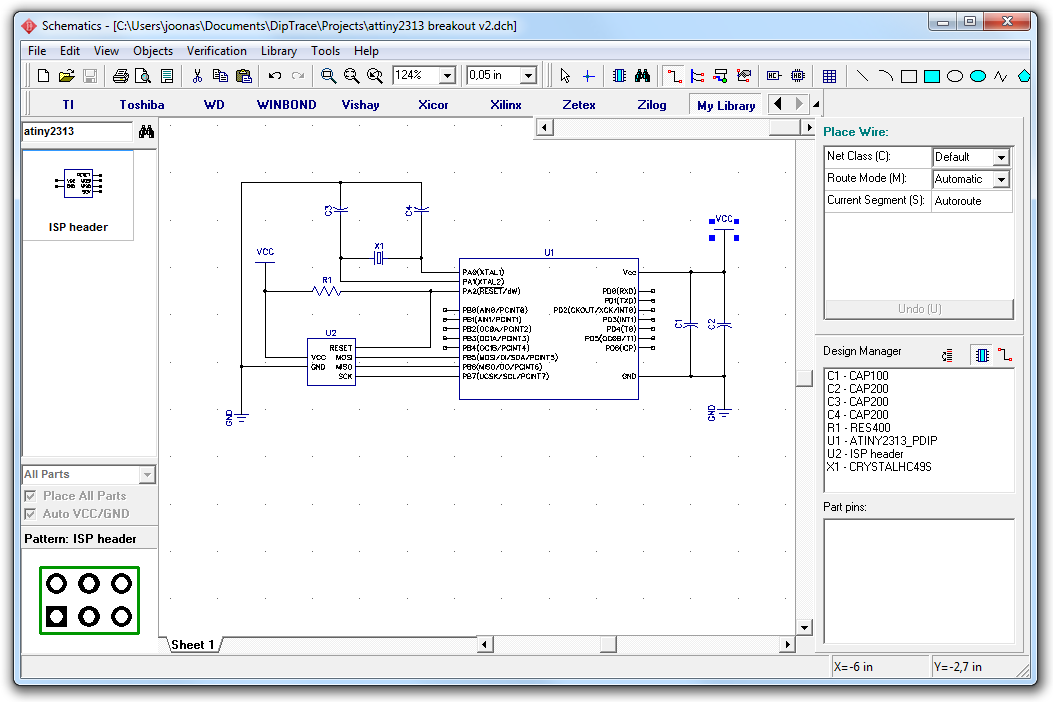
In this short tutorial, I’ll show how to create a simple schematic using DipTrace, an excellent electronics CAD package that has a free version as well as inexpensive entry-level commercial and non-profit licenses. The circuit I’m doing is a simple ATtiny2313 breadboard header that integrates an ISP programming header, a few capacitors, a reset pullup resistor and a clock crystal, eliminating the need to wire these things every time I start a new project. Additionally, I’m showing how to use DipTrace’s powerful facilities to create new components in literally few minutes. Let’s get started!
Why DipTrace and not Eagle CAD (or some other brand)?
The electronics CAD software, the most often recommended software for beginners is Eagle CAD. The main reasons are probably the rather reasonable pricing and large existing userbase. Also, a lot of open hardware projects share their schematics in Eagle format, and many PCB fabrication shops accept Eagle files directly without conversion to Gerber format.
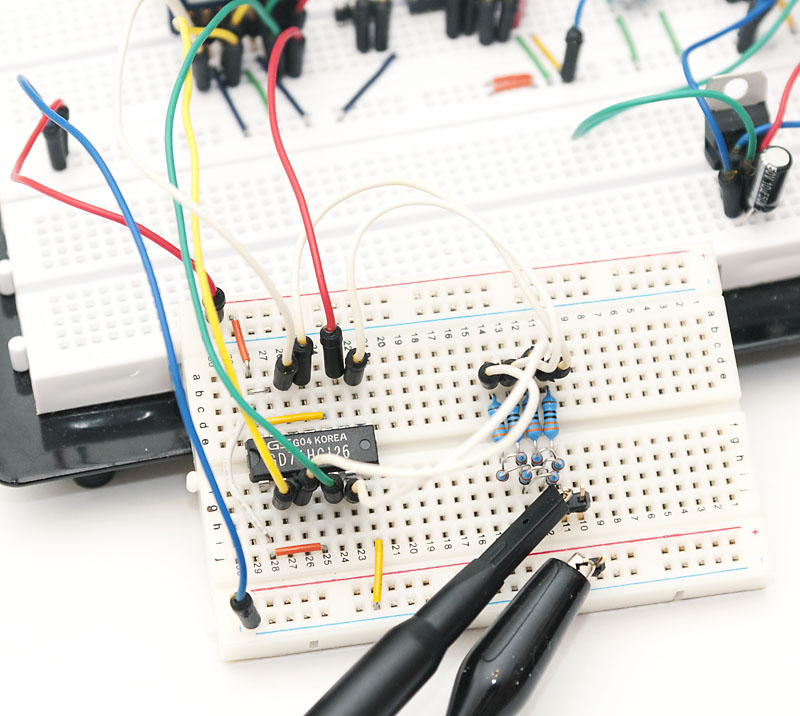
Today’s post documents my recent hack that may just be the world’s simplest logic analyzer. More accurately, it is a circuit consisting of a 74HC126 quad buffer chip and R-2R resistor network (eleven 330 ohm resistors) that acts as a D/A converter, enabling one to analyze four logic lines with a single channel digital oscilloscope and $5 in parts!
With the circuit described below and an entry level USB scope like the PicoScope 2204, bursts of data can be captured at 10 MSps (million samples per second), and continuous capture rates of 2.5 MSps are possible, the length of the capture only limited by your PC’s memory. This is obviously much better than recently covered Bus Pirate’s 1 MSps for 4 ms!
Even higher throughput can be achieved with better scopes, although the A/D conversion requires several consecutive samples at same logic level, which means that a 100 MHz scope with 200 MSps capture rate should generally be able to analyze logic operating at ~40 MHz speeds. At such speeds, a fast buffer chip and D/A converter is naturally needed as well.
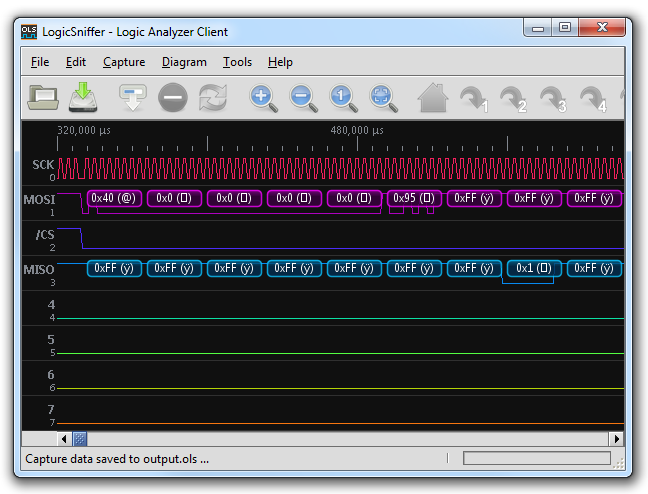
Above you can see an example of SD card traffic analyzed using my circuit – the full capture was 10 million samples which enabled me to capture all the traffic generated by my SD tutorial project without any additional triggering. Read on for details of the hack. A lot of effort has been made to keep the material very accessible and informative to electronics beginners, too. In the end of the article, source code for PicoTech 2000 series is included, and it can easily be adapted for any scope that can transfer captured waveforms to PC (in the simplest form by reading waveforms from a CSV file).
How It Works
Basic idea is to connect 4 logic lines to a D/A converter, that will transform the binary 1/0 values (represented by VCC and GND voltage levels, respectively) into a 16-step analog waveform. Because input lines cannot be directly connected to the R-2R resistor network that is used to do the D/A conversion, a 4-line buffer chip is used in between to provide high impedance inputs that do not interfere with the logic being analyzed.
While preparing for my SD tutorial, I realized it would be a long, uphill battle to debug SPI communications with a two-channel oscilloscope, especially when I had no prior experience on implementing SPI with AVR. To break the learning curve to manageable steps, I decided to get a Bus Pirate, a serial protocol tool I had heard a lot of good things about. What made the decision even easier was the fact that my local electronics supplier had just started selling the SparkFun version of Bus Pirate.
In this compact post, I’ll discuss my first impressions of the Bus Pirate, and try out the logic analyzer functionality.
Bus Pirate General Impressions
The first thought that crossed my mind when I saw the Bus Pirate in real life was how small the device was. As you can see, it’s hardly larger than an SD card. All the components are of surface mount type, LEDs included. USB cable was not included but fortunately I had several in my cable drawer. The thing does not need any other setup than plugging it in and installing the FTDI virtual COM port drivers. After that, it showed up as COM19 and I could connect to it with Putty. See the Bus Pirate 101 tutorial for installation details.
The v3 hardware is based on a PIC chip running at 3.3 volts and it took me a while to get comfortable with the power supply & pullup resistor logic – basically you can either use the Bus Pirate pins “normally” so an output pin is driven by the PIC, or in “open drain” mode, where a CD4066B analog switch connects the lines via pullup resistors to whatever is wired to the Vpu pin. This way, the Bus Pirate can interface with other than 3.3V devices (the PIC only pulls the line down or “lets it go” and the pullup takes the line high).
This part will utilize the previously made FAT library with a few tweaks – it turned out that some byte and word-sized values needed explicit casting to unsigned long so that the calculations worked as they should. The new library and all code shown here can be found from the updated project zip.
Initializing the SD card automatically
Instead of manually pressing 1, 2, and 3, we’ll now write a single function to initialize the SD card to SPI mode. For standard SD (not high capacity SDHC) cards, it’s enough to:
Send clock pulses for 80 cycles (“read” 10 bytes)
Send command 0x40 (it should return 1)
Send command 0x41 until it returns 0 (it returns 1 while the card is busy)
Send command 0x50 to set read block size (as well as write block size)
Here’s the code to do just that (sd_sector and sd_pos will be used shortly):
Finally back! Sorry for taking a while, but getting the SD cards to work required quite a bit of research! In this part of the tutorial, we’ll start talking with the SD card. Once you get that working, adding the FAT library developed in the previous part will be easy.
This tutorial will most likely be the most challenging covered in my blog so far, so beware: You may need to do some troubleshooting on this one! If you encounter problems, I recommend you to ask any questions at the AVR Freaks tutorial forum topic, so more people might be able to help you than just me!
Basic hardware setup: ATmega88 with UART console
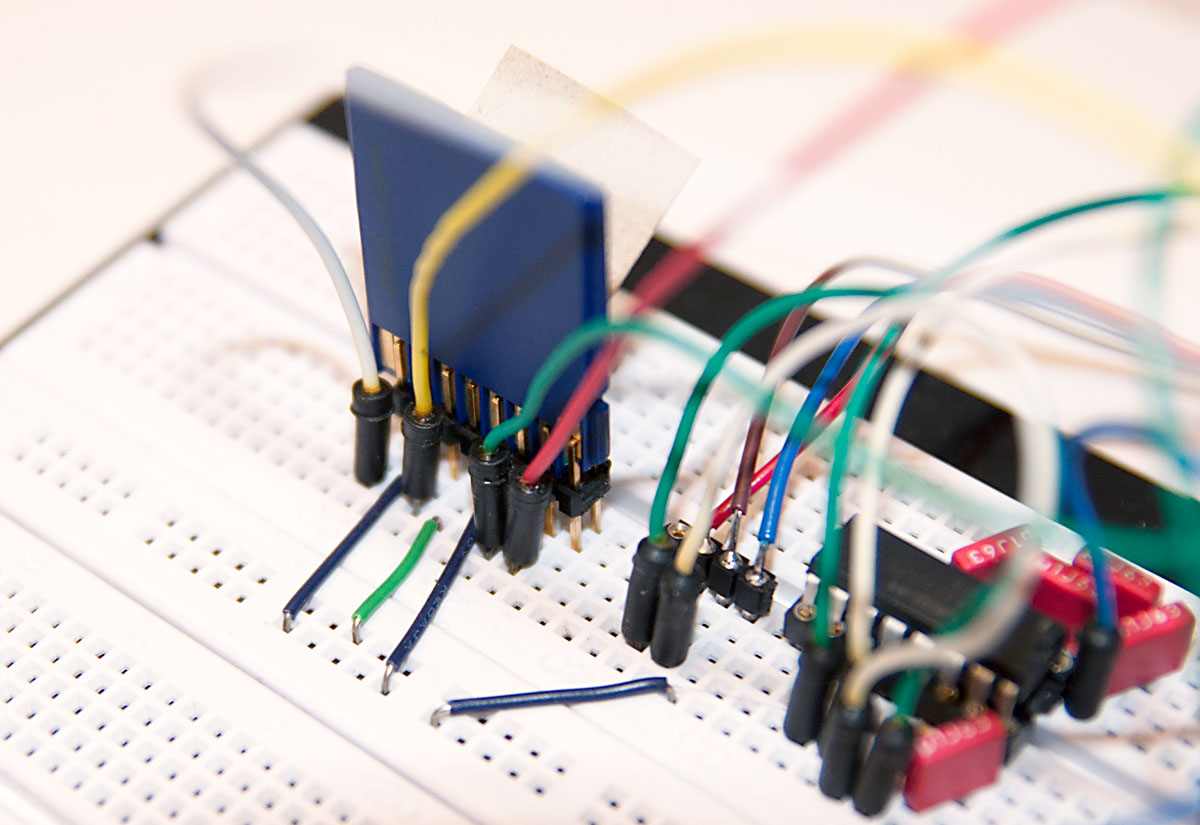
The 3.3V UART I covered just a while ago will form the basis for this project. Only change we will be doing is to replace ATtiny2313 with ATmega88. This is because SPI, SD and FAT code will eat up almost 3 kB of program memory, and the ATtiny chips with that much program memory and separate RX/TX and SPI pins are not that common, while ATmega88 is readily available (48 and 168 work as well, of course). To accommodate the new chip, the following hardware changes are made to the ATtiny2313 version:
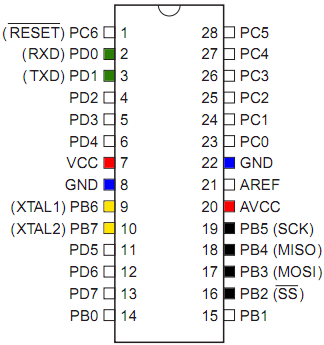
ATmega88 will require two ground connections
In addition to VCC, also AVCC for analog circuitry needs to be wired to VCC
Additional capacitor between AVCC and GND is recommended (I used 10 uF)
Programming header MOSI/MISO/SCK are also in different place
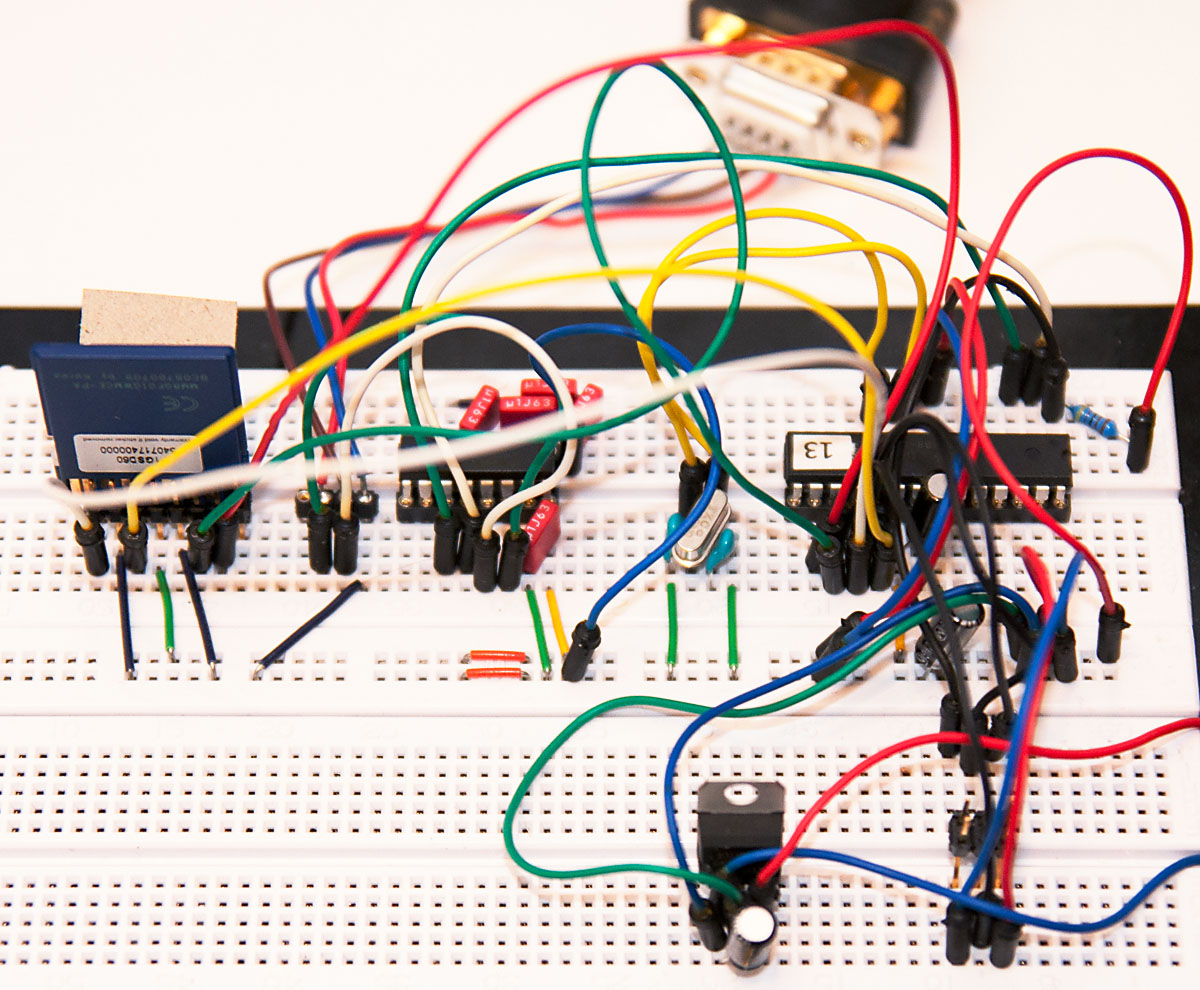
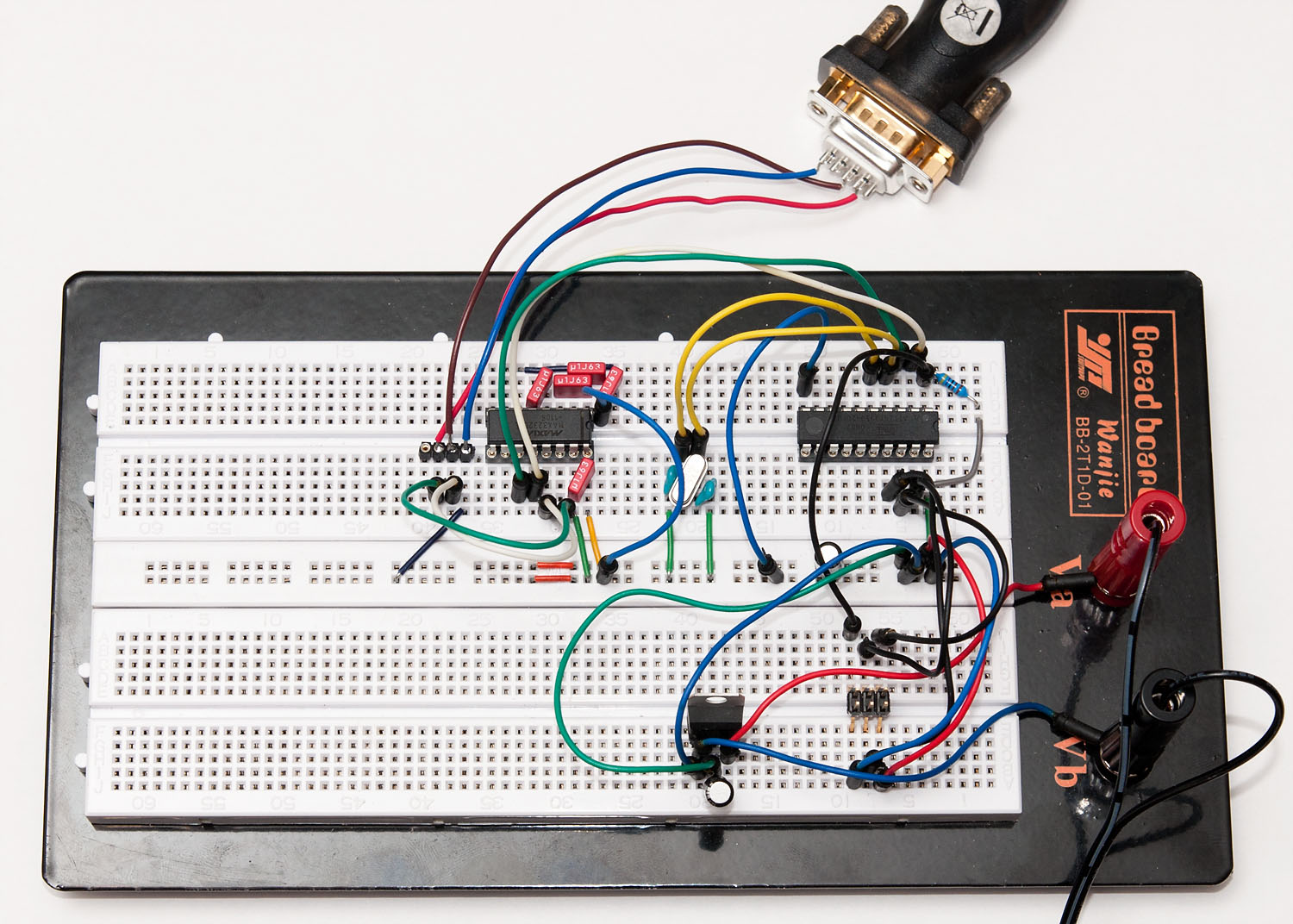
Before diving right into SPI communications for my SD tutorial, I wanted to have a 3.3V development platform that could output some meaningful status information, not just light a LED if something goes wrong. In this post, I will outline the basic testing platform that will be used in the upcoming part 3 of that tutorial, and discuss a little about UART on AVR in the progress. Here’s what we’ll build:
If you want to build it yourself, you’ll need:
ATtiny2313 or other AVR chip with UART pins (RX/TX) separate from SPI pins (MOSI/MISO/SCK)
20 MHz crystal (other speeds will work, too) and ~27 pF capacitors
4k7 pullup resistor for ATtiny2313 RESET pin
3.3V regulator such as LD1086V33 or some other 3.3V voltage source
2 filtering caps for the regulator input/output sides, 10 uF
MAX3232CPE or similar RS-232 transceiver that works on a 3.3V voltage
RS-232 port on your computer or a USB to RS-232 dongle
RS-232 to breadboard connector (home-soldered example seen above)
Crystal can be left out if the internal oscillator is calibrated accurately enough for RS-232 timings (less than 1 % error). Also, you can build this setup with a 5V voltage source and normal MAX232, but that combination cannot communicate directly with an SD card using level conversion.
A Word on Wiring
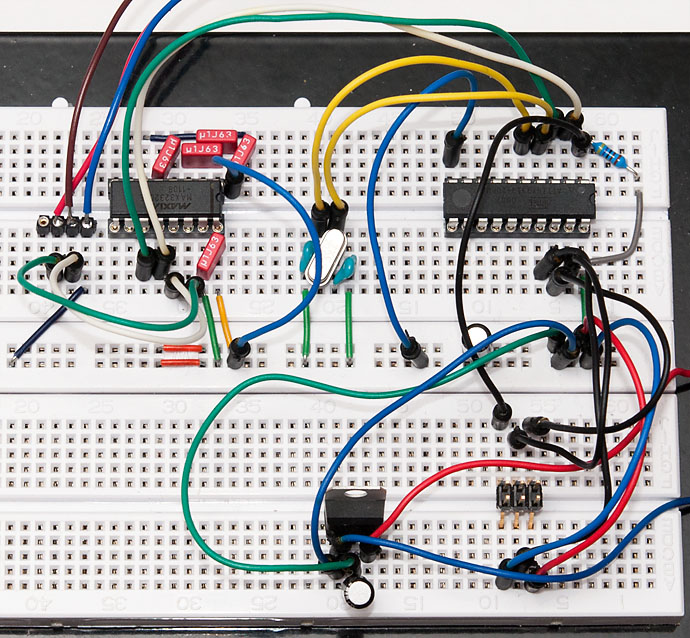
I assume that you have prior experience on wiring a 6-pin programming header to a ATtiny2313 and know the basics of regulators. If in doubt, you can refer to my USB tutorial part 1 which covers the 3.3V regulator covered here in more detail. Here’s one good order to do this:
Start by wiring >5V voltage source to regulator inputs. Add a filtering cap between the VIN and GND.
Connect regulator output (green wire in my setup) to breadboard VCC power rail, and GND to GND. Add another filtering cap there between VCC and GND.
Turn on power for a moment to confirm with a multimeter that you have 3.3V at power rails
Wire the ATtiny2313 with power and RESET pullup, then wire the 6-pin programming header
Connect a programmer and check that the chip responds
Add a crystal and 27 pF caps on both sides connected to ground. Wire the crystal to ATtiny2313 XTAL pins
Update fuses – for ATtiny2313 the 20 MHz crystal the low fuse should be FE
You could flash a simple LED blinker at this point to see if the crystal is working OK