Super Simple 50+ kHz Logic Analysis with ATtiny2313 and FTDI Friend
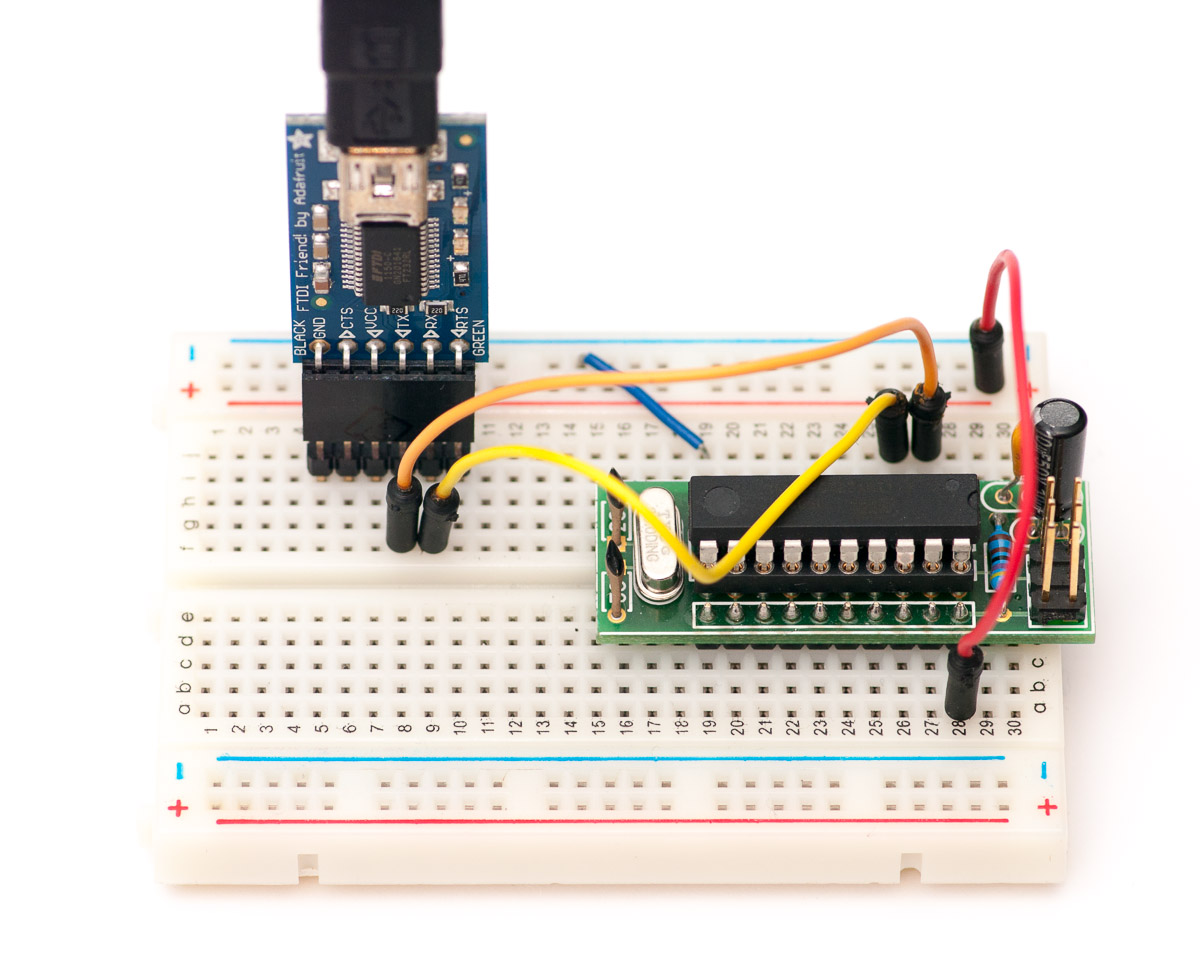
While banging my head against the wall with debugging my PS/2 keyboard thingy, I really wished I had a dedicated logic analyzer (preferably with PS/2 decoder, but even raw binary data would’ve been fine). So I decided to try out a long hatched idea – combine an ATtiny2313 and FTDI for some unlimited-length logic capturing with a PC. You’ll only need:
- ATtiny2313
- 20 MHz crystal and caps (slower will also work, frequency just defines what baud rates you’ll achieve)
- FTDI USB/serial converter, like the FTDI friend from Adafruit
- Optionally, some power-stabilizing capacitors, reset pullup and ISP programming header for flashing the firmware
ATtiny2313 is ideal for this, as it has all eight port B pins on one side in numerical order – attaching up to 8 logic lines is really straightforward. With 20 MHz crystal, baud rates close to 1 Mbps can be achieved in fast serial mode. I used Adafruit’s FTDI Friend for really simple (and way faster than most cheap serial adapter dongles) serial to USB conversion – just connect ATtiny RXD pin to TX, and TXD to RX, and you can even get power from the Friend so you’re all set! For crystal and that other stuff, see my ATtiny2313 breadboard header post for schematic, the picture above should fill you in with the rest.
Firmware code
This device has some of the smallest firmware codebases ever (firmware is 128 bytes). All we need to do is to set up UART with desired speed, and have the AVR chip to fire up an interrupt whenever data has been sent, and then use that to send current state of port B (using PINB):
#include <avr/io.h>
#include <avr/interrupt.h>

void USARTInit(unsigned int ubrr_value, uint8_t x2, uint8_t stopbits) {
  // Set baud rate
  UBRRL = ubrr_value & 255;
  UBRRH = ubrr_value >> 8;

  // Frame Format: asynchronous, 8 data bits, no parity, 1/2 stop bits
  UCSRC = _BV(UCSZ1) | _BV(UCSZ0);
  if(stopbits == 2) UCSRC |= _BV(USBS);

  if(x2) UCSRA = _BV(U2X); // 2x

  // USART Data Register Empty Interrupt Enable
  UCSRB = _BV(UDRIE);

  // Enable The receiver and transmitter
  UCSRB |= _BV(RXEN) | _BV(TXEN);
}

int main() {
  // 230.4 kbps, 8 data bits, no parity, 2 stop bits
  USARTInit(10, 1, 2); // replace 10 with 4 to get 0.5 Mbps

  sei(); // enable interrupts

  while(1) {}

  return 1;
}

ISR(USART_UDRE_vect) {
  UDR = PINB;
}
If you’re not connecting all PORTB pins, you can enable pullups in the beginning of main(). For example, PORTB = 0b11111000; would only leave PB0-PB2 without pullups, so you don’t need to ground PB3-PB7 (which would also wreak havoc with ISP programming). However, should you decide to do that, be sure you don’t wire those pins to anything that might not like pullups!
PC side software

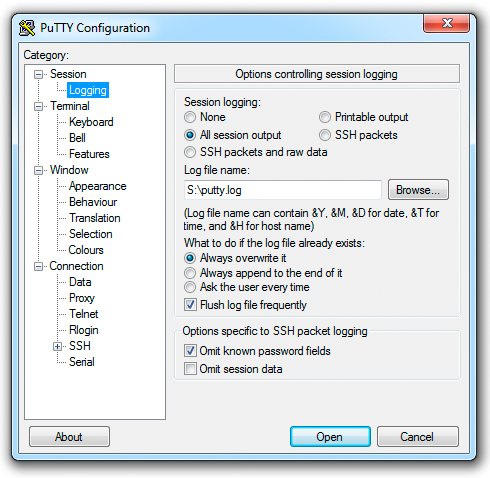
Using Putty, you can just connect to FTDI friend – select “Serial” as connection type and define detailed settings in the Serial category, and turn on logging for all packets. Then you just open the connection when you want to start capture, and close Putty when you’re done.
Another alternative is Realterm or similar terminal program. It has the option of suppressing output to terminal window, which might prove less irritating, and may help you achieve higher speeds. On *nix systems and Mac OS X, it’s possible to use screen with logging to achieve similar results (google is your friend).
Once you have the data captured, you can use hex editor like HxD to view it. Converting raw binary capture data to OLS format is one nice idea, as you can use Sigrok, OpenSniffer or SUMP to view it. Here’s a simple command-line C program for PC (you’ll need MinGW or similar to compile it) to convert a binary capture find to OLS format:
#include <stdio.h>
#include <stdlib.h>

int main(int argc, char *argv[]) {
  FILE *in;
  long size;
  int num, lastNum, pos, count, mask = 0xFF;

  if(argc < 2) {
    puts("Usage: bin2ols input.bin [hex mask] > output.ols ");
    return 1;
  }

  if(argc > 2)
    sscanf(argv[2], "%X", &mask);

  in = fopen(argv[1], "rb");

  if(in == NULL) {
    printf("Couldn't open %s!\\n", argv[1]);
    return 1;
  }

  printf(";Rate: 10000\\n");
  printf(";Channels: 8\\n");
  printf(";EnabledChannels: %d\\n", mask);

  lastNum = fgetc(in) & mask;
  count = 1;
  pos = 1;

  while((num = fgetc(in)) != EOF) {
    num &= mask;

    if(lastNum != num) {
      if(lastNum != -1)
        printf("%02x@%d\\n", lastNum, pos);

      lastNum = num;
      pos += count;
      count = 1;
    } else count++;
  }

  printf("%02x@%d\\n", lastNum, pos);

  fclose(in);

  return 0;
}
Logic analyzer in action
To see if everything works more or less as it should, I connected Bus Pirate to DS1307 realtime clock and used the combo to retrieve time over two-channel I2C connection – I actually followed the instructions in my own post so it was pretty easy. :) After capturing the data with Putty, and converting to OLS, I was able to open the file in OpenSniffer, and was very delighted to see I2C traffic to appear:

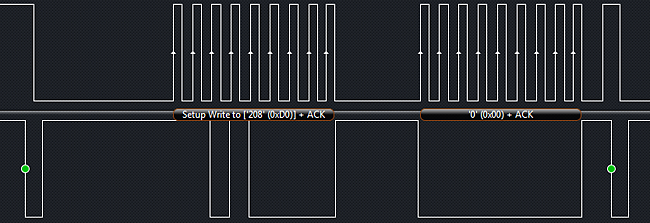
I tried to use OpenSniffer for protocol decoding the contents of the I2C messages, but unfortunately it got lost with two I2C start messages without a stop before the second. So I had to verify the communications with a commercial analyzer (Saleae Logic to be exact, I got one recently and will feature that quite soon here) — its software handled the same communications and protocol decryption without a hitch – and as you can see, the waveforms match nicely with the output from the DIY analyzer:
Conclusions and Caveats
I’d rate this DIY logic analyzer a definite success in my books. The parts cost something like $25 and with a PC, the capture length is virtually unlimited. With right combination of software (see below), capture rates close to 100 kHz (1+ Mbps serial data) can be achieved. However, I found out the hard way that FTDI friend and PC or Mac software isn’t very reliable for achieving maximum speed captures:
- I could find no simple, free piece of software that would just dump raw data from serial port to binary file. Either the program was non-free, didn’t support non-standard baud rates, or had some other issues
- Putty with console logging is quite nice, but suppressing output to terminal is not possible, and with binary data and close to 1 Mbps, pieces of data started to drop out (could also be something with FTDI drivers). Also, Putty adds a header to log file, so you need an hex editor like HxD to remove that before analysis
- Realterm could suppress output, but only dumps ascii hex which needs to be processed to get binary. Also, it seemed to have weird problems from time to time, and the UI really shows its age.
- On Mac, I couldn’t reliably capture anything faster than 115.2 kbps with virtual serial port drivers. However, with D2XX drivers for FTDI did work quite nicely for higher rates, but you then have to forego the virtual serial port, as the drivers are not mutually compatible.
- Most higher bitrates require two stop bits so the serial decoding has more of a chance to understand where the byte boundaries lie in continuous data transfer.
I also regret to note that Sigrok, for which I had high hopes in this project, failed miserably, as there are currently no easy installation options for Windows or OS X. I even tried to set up a Linux virtual machine, but it proved suprisingly hard to get modern Mint and Debian distributions to install on Virtualbox (at that point I didn’t have hours to spare for debugging). Come one Sigrok guys, could you do an installer even without hardware device support for analyzing OLS files?
The biggest limitation of this setup is the capture rate – for example, the PS/2 project communicates at 12.5 kHz, which means that to get even semi-accurate visibility to data level transitions during one clock cycle, capture rate should be at least 100 kHz (which would mean average of 4 samples for logic high and low each). This is at the maximum limit of FTDI/AVR combo, as there are 10 bits of information to send (8 data + 2 stop bits) for each byte.