Novation Launchpad Mk3 Test Suite and Games
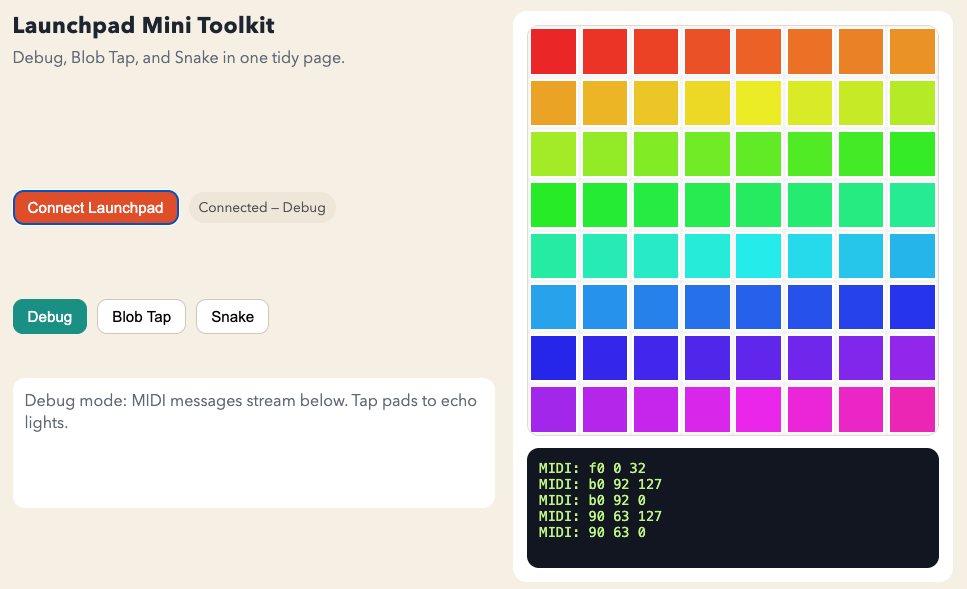
tl;dr Wrote a HTML based debug tool and two mini games for Novation LaunchPad, try it out on Chrome if you have one:
https://tools.codeandlife.com/launchpad_test.html
Longer version (templated with Claude Sonnet using the github commit): I've been thinking about getting a MIDI controller to use as a Stream Deck type of device — not to do any music stuff, but use the midi messages to automate workflows. Not having found anything compact, robust and with cool twiddly knobs, I thought to beta test my actual interest by loaning a Novation Launchpad Mk3 from a friend.
I started by asking ChatGPT if we can control this thing with MIDI and the answer was yes. It even suggested a Python test script to try it out. I obliged and ran it, and it didn't work, but a few rounds of discussion revealed the culprit to be two input and output devices, and the script had defaulted on the wrong one.
Now Chrome nowadays has all these awesome local USB capabilities, so what about MIDI? Turns out, you can skip all Python package dependencies and just write a single HTML page that can connect to the launchpad and program it using the Web MIDI API!
The Launchpad Mk3 uses MIDI messages also to control the LEDs, so you can not just receive input, but actually control the 8x8 LED matrix with 127 colors (ChatGPT said first half is static and the other half pulsing colors, but I was not quite sure how this worked).
Snake and Blob Games
Once I had the basic LED control working and a HTML debug console that showed the MIDI messages flowing, I couldn't resist adding some games. Snake is the classic — use the arrow pads to guide the snake around the 8x8 grid. The Blob game is a variant I asked Claude Code to whip up for me, or actually my daughter, who still lacks the dexterity to play Snake, but might be happy with some animation if she succeeds in hitting the blob on the grid.
Both games use the velocity-sensitive pads to detect presses and the RGB LEDs to render the game state. The Launchpad's arrow pads are quite sucky at controlling a snake, especially since they are on the top, so using them blocks your view. For this reason, the Snake game has dual inputs from the browser, so you can use your keyboard as well.
Try It Out
Once I had three small utilities (debug console and mini games), I asked Codex to combine them into a single tool to avoid polluting my tools page. Find it here:
https://tools.codeandlife.com/launchpad_test.html
Source code is on GitHub: https://github.com/jokkebk/tools
The code shows how to:
- Request MIDI access and enumerate devices
- Send MIDI/SysEx messages to control RGB LEDs
- Handle pad press events
- Implement game logic on a limited 8x8 grid
If you have a Launchpad Mk3 (or compatible device), give it a try!