Simple FAT and SD Tutorial Part 4
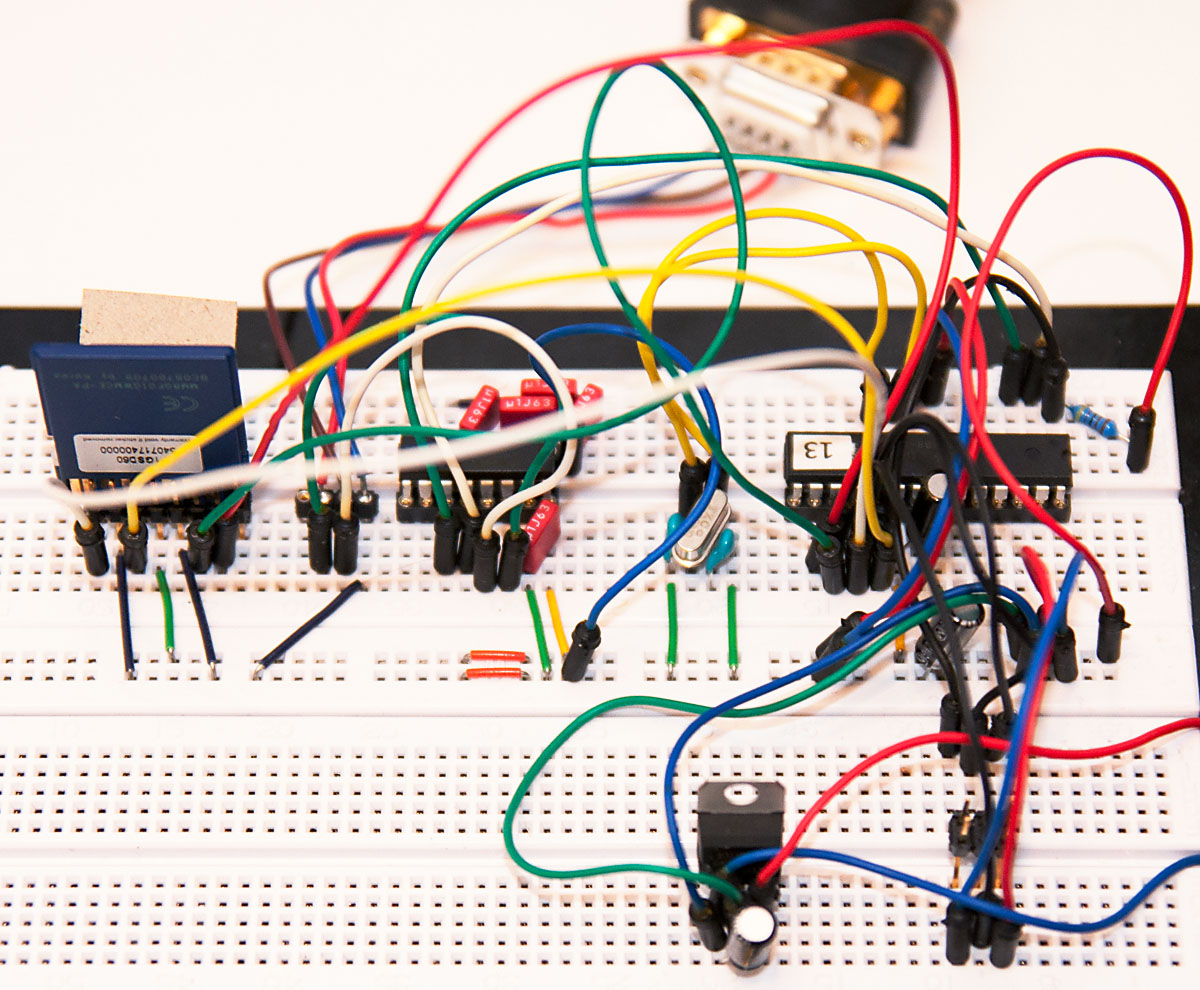
In the previous parts of this tutorial, we have built both an FAT library as well as a test program to communicate with the SD card. Now it’s time to wrap it up with final parts of code to read a file from SD card and print it out.
This part will utilize the previously made FAT library with a few tweaks – it turned out that some byte and word-sized values needed explicit casting to unsigned long so that the calculations worked as they should. The new library and all code shown here can be found from the updated project zip.
Initializing the SD card automatically
Instead of manually pressing 1, 2, and 3, we’ll now write a single function to initialize the SD card to SPI mode. For standard SD (not high capacity SDHC) cards, it’s enough to:
- Send clock pulses for 80 cycles (“read” 10 bytes)
- Send command 0x40 (it should return 1)
- Send command 0x41 until it returns 0 (it returns 1 while the card is busy)
- Send command 0x50 to set read block size (as well as write block size)
Here’s the code to do just that (sd_sector and sd_pos will be used shortly):
unsigned long sd_sector;
unsigned short sd_pos;

char SD_init() {
    char i;

    // ]r:10
    CS_DISABLE();
    for(i=0; i<10; i++) // idle for 1 bytes / 80 clocks
        SPI_write(0xFF);

    // [0x40 0x00 0x00 0x00 0x00 0x95 r:8] until we get "1"
    for(i=0; i<10 && SD_command(0x40, 0x00000000, 0x95, 8) != 1; i++)
        _delay_ms(100);

    if(i == 10) // card did not respond to initialization
        return -1;

    // CMD1 until card comes out of idle, but maximum of 10 times
    for(i=0; i<10 && SD_command(0x41, 0x00000000, 0xFF, 8) != 0; i++)
        _delay_ms(100);

    if(i == 10) // card did not come out of idle
        return -2;

    // SET_BLOCKLEN to 512
    SD_command(0x50, 0x00000200, 0xFF, 8);

    sd_sector = sd_pos = 0;

    return 0;
}
Reading data from SD card
Reading data from SD cards (as well as writing it) is done in discrete blocks. The read command is given the offset of data to be read, and it returns X bytes, where X is the size of transfer block set during initialization. For normal SD cards, block size can be set to smaller than the 512 used in the initialization code, but for higher capacity SDHC and SDXC cards the block size is always 512 bytes, so I decided to use that so there would be less code changes in case I wanted to support SDHC cards later on.
Because I wanted to support systems that have only 128 or 256 bytes of SRAM (if you remember from earlier parts, the FAT library uses a 32 byte buffer), reading all 512 bytes into memory is not possible. Instead, we capture a small window of the data. For example, to read bytes 32-63 (zero-based indexing, so 32 bytes starting from 33rd byte) from a 512 byte sector, we issue a read command for the whole sector, but discard the first 32 bytes, then capture the next 32 bytes, and then again skip the remaining 448 bytes plus 2 CRC bytes. Here’s the read command:
// TODO: This function will not exit gracefully if SD card does not do what it should
void SD_read(unsigned long sector, unsigned short offset, unsigned char * buffer,
             unsigned short len) {
    unsigned short i, pos = 0;

    CS_ENABLE();
    SPI_write(0x51);
    SPI_write(sector>>15); // sector*512 >> 24
    SPI_write(sector>>7);  // sector*512 >> 16
    SPI_write(sector<<1);  // sector*512 >> 8
    SPI_write(0);          // sector*512
    SPI_write(0xFF);

    for(i=0; i<10 && SPI_write(0xFF) != 0x00; i++) {} // wait for 0

    for(i=0; i<10 && SPI_write(0xFF) != 0xFE; i++) {} // wait for data start

    for(i=0; i<offset; i++) // "skip" bytes
        SPI_write(0xFF);

    for(i=0; i<len; i++) // read len bytes
        buffer[i] = SPI_write(0xFF);

    for(i+=offset; i<512; i++) // "skip" again
        SPI_write(0xFF);

    // skip checksum
    SPI_write(0xFF);
    SPI_write(0xFF);

    CS_DISABLE();
}
The read command (0x51) is much like all other SD commands and it takes a 32-bit address – we use the sector number and multiply it by 512 (sector<<9). Note that SDHC cards use sector addressing and not byte addressing, so this would not be needed for SDHC. After sending the command, SD card responds with “0” to indicate the command has been received, and then it sends 0xFF until data is ready, at which point it sends 0xFE, then the 512 bytes of data and finally 2 bytes of checksum. Pretty straightforward!
Providing FAT library disk functions
As you probably recall, we now need to provide FAT library two functions to navigate around the SD card: fat16_seek() and fat16_read(). Now that we have our flexible SD_read() function, it’s really just a matter of keeping two pointers, current SD sector (sd_sector) and offset within that (sd_offset), which we just set when the library wants to seek, and pass to SD_read when the FAT library wants to read bytes (and increment the pointers afterwards). Without further ado, here are the wrapper functions:
void fat16_seek(unsigned long offset) {
    sd_sector = offset >> 9;
    sd_pos = offset & 511;
}

char fat16_read(unsigned char bytes) {
    SD_read(sd_sector, sd_pos, fat16_buffer, bytes);
    sd_pos+=(unsigned short)bytes;

    if(sd_pos == 512) {
        sd_pos = 0;
        sd_sector++;
    }

    return bytes;
}
Note that the read function can be very simple because we know the reads never cross sector boundaries – the FAT library reads 32 bytes at a time, and 512 is a multiple of that. If that was not true, the read function would need some additional logic to deal with it.
Wrapping it all up
We now have all the helper functions we need. We have the UART. We speak through the SPI. We command the SD card. We understand the FAT. Here’s a simple main function to enjoy our accomplishments through reading a file called README.TXT and displaying it over UART:
int main(int argc, char *argv[]) {
    char i, ret;
    short offset = 0x1B0;

    USARTInit(64); // 20 MHz / (16 * 19200 baud) - 1 = 64.104x

    SPI_init();

    uwrite_str("Start\r\n");

    if(ret = SD_init()) {
        uwrite_str("SD err: ");
        uwrite_hex(ret);
        return -1;
    }

    if(ret = fat16_init()) {
        uwrite_str("FAT err: ");
        uwrite_hex(ret);
        return -1;
    }

    if(ret = fat16_open_file("README  ", "TXT")) {
        uwrite_str("Open: ");
        uwrite_hex(ret);
        return -1;
    }

    while(fat16_state.file_left) {
        ret = fat16_read_file(FAT16_BUFFER_SIZE);
        for(i=0; i<ret; i++)
            USARTWriteChar(fat16_buffer[i]);
    }

    return 0;
}
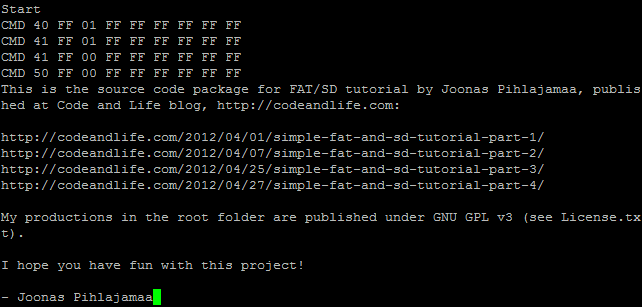
Here’s the output from our glorious test program:
That’s all! You can now read SD cards with your ATmega. And best of all, you should also understand every nook and cranny of the code used to do that. Pretty cool! If you have a ATmega with 1 kB of SRAM, you could quite easily implement SD writing, or write some nice code for navigating the SD card directories. Or maybe you’d like to upgrade the library to support FAT32 or SDHC cards. The choice is yours!
Thanks for reading the tutorial, I hope you found it useful. Remember to subscribe to the feed for more tutorials and interesting projects in the future. And of course, all feedback is very welcome, too!